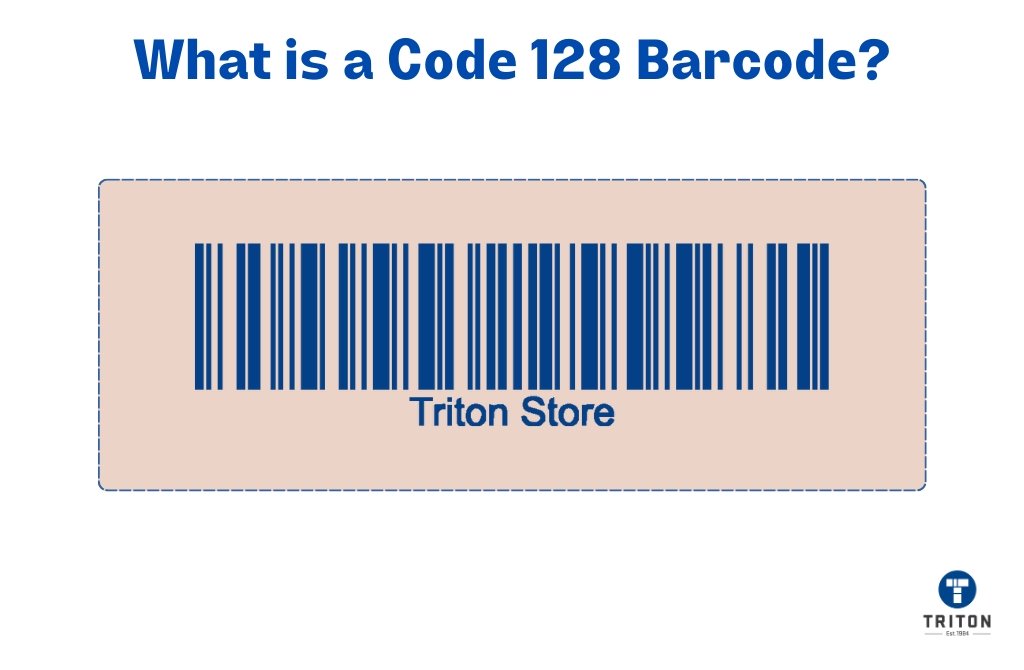
In a world where seamless supply chains and precise inventory management are non-negotiable, the humble barcode holds immense power. Specifically, Code 128 stands out as a high-density, alphanumeric symbology, serving as the backbone for critical logistics, labeling, and asset tracking across countless industries. But simply generating a barcode isn't enough; you need one that's reliable, scannable, and compliant. That's where the quest for Choosing the Best Code 128 Generator truly begins.
Navigating the landscape of online tools can feel like a maze, each promising convenience. However, the stakes are high: a poorly generated barcode can lead to costly scanning errors, delays, and frustrated customers. This guide cuts through the noise, equipping you with the knowledge to select a generator that delivers consistent, production-ready results every time.
At a Glance: What to Look For in a Code 128 Generator
- Output Formats Matter: Prioritize SVG or vector PDF for print-ready quality. PNG is acceptable for screen use but less ideal for scalable physical labels.
- Standards-Aware: Ensure it adheres to GS1 guidance for quiet zones, module sizes, and Human Readable Interpretation (HRI), especially if generating GS1-128.
- Privacy & Security: The best generators process data locally on your device, ensuring your sensitive product information never leaves your browser.
- Customization: Look for options to adjust size, margins, and potentially font for HRI to match your specific label requirements.
- Bulk Generation: If you need hundreds of barcodes, a generator with bulk input and "ZIP All" download is a game-changer.
- Ease of Use: A simple, intuitive interface that guides you through the process quickly.
- Verification Support: While a generator can't verify, it should produce barcodes that are designed to pass ISO/IEC verification when printed correctly.
Why Code 128 Dominates Logistics and Beyond
Before diving into generators, let's appreciate why Code 128 is such a powerhouse. It's a remarkably versatile, high-density linear barcode capable of encoding the full 128 ASCII character set, including numbers, letters, and special characters. This broad encoding capability makes it ideal for:
- Logistics & Shipping: Tracking cartons and pallets as they move through supply chains.
- Inventory Management: Labeling individual items, assets, or stock units.
- Automotive Industry: Component tracking and part identification.
- Healthcare: Labeling pharmaceuticals and medical devices.
One of its most significant advantages is its role as the foundation for GS1-128 barcodes. GS1-128 leverages Code 128's robust encoding by adding Application Identifiers (AIs) – prefixes that define the type of data that follows (e.g., (01) for GTIN, (10) for batch/lot number, (17) for expiry date). This structure allows for the encoding of rich, standardized product information within a single barcode, which is crucial for global trade and regulatory compliance. Code 128 achieves its high density through three different character sets (A, B, and C) and can switch between them within a single barcode, optimizing space. Notably, Code Set C provides incredibly compact numeric encoding. It also includes an internal checksum to ensure data integrity during scanning, though it doesn't have an intrinsic check digit like some other symbologies.
The Anatomy of a Trustworthy Barcode Generator
You might think all online barcode generators are created equal. They are not. The difference lies in their adherence to industry standards, output quality, and the underlying technology.
1. Standards Compliance: The Non-Negotiable Foundation
A truly reliable Code 128 generator doesn't just create bars and spaces; it creates them according to stringent international standards. For Code 128, and especially GS1-128, this means:
- Quiet Zones: These are the clear, blank spaces required on either side of the barcode. Without them, scanners can't correctly identify the start and end of the symbol, leading to read errors. A good generator ensures these are correctly sized (typically 10 times the narrowest bar width, or "X-dimension").
- Module Size (X-Dimension): This refers to the width of the narrowest bar or space. The generator should allow you to control this indirectly via overall size settings. Too small, and your printer might not render it accurately; too large, and it might not fit on your label.
- Human Readable Interpretation (HRI): The text displayed below the barcode that allows humans to read the encoded data. A quality generator will format this clearly and correctly, including parentheses for GS1-128 Application Identifiers.
- FNC1 Character: For GS1-128, the FNC1 character is crucial. It acts as a flag, indicating that the barcode follows GS1 General Specifications. A proper generator will automatically insert this when generating GS1-128 data.
When you're evaluating options, consider whether the generator explicitly mentions compliance with GS1 guidelines. This isn't just a nicety; it's a necessity for ensuring your barcodes are universally scannable.
2. Superior Output Formats for Print-Ready Quality
The ultimate goal of generating a barcode is usually to print it. The format you choose profoundly impacts print quality and scanner readability.
- SVG (Scalable Vector Graphics): This is often the top recommendation for print-ready barcodes. SVG files are vector-based, meaning they are defined by mathematical paths rather than pixels. You can scale an SVG barcode to any size – from a tiny product label to a massive warehouse sign – without any loss of crispness or quality. The lines remain perfectly sharp, which is critical for scanners.
- Vector PDF: Similar to SVG, a vector PDF maintains crisp lines at any scale. It's an excellent choice for sending to professional printers or embedding in documents that will be printed.
- PNG (Portable Network Graphics): A raster image format (pixel-based). PNGs are fine for digital display (websites, emails) or for printing at their exact generated size. However, if you scale a PNG barcode up or down significantly, it will become pixelated or blurry, leading to scanning difficulties. Use PNG only if you are certain the print size will match the generation size, and for applications less sensitive to resolution.
The takeaway: For any print application, always opt for SVG or vector PDF. They are your best defense against blurry, unscannable barcodes.
3. Privacy, Performance, and User Experience
A modern, high-quality online generator should offer more than just compliant barcodes:
- Local Processing: Many top-tier online barcode generators now process your data directly on your device, within your browser. This means your sensitive product or logistics data never leaves your computer or gets transmitted to a server. It's a significant privacy and security advantage.
- Speed: Generation should be virtually instantaneous. You shouldn't be waiting for a server to crunch numbers.
- Intuitive Interface: The process should be straightforward:
- Select a symbology: Choose Code 128 (or GS1-128).
- Enter your data: Type or paste your alphanumeric string. For bulk generation, typically one line per value.
- Click "Generate."
- Adjust & Download: Fine-tune size, margins, and then download in your preferred format.
- Bulk Generation & Download: If you manage extensive inventory or multiple product lines, the ability to generate hundreds of barcodes simultaneously from a spreadsheet or list is invaluable. Look for features like "ZIP All" to download all generated barcodes in a single archive.
Decoding the Best Features: What to Prioritize
When you're trying to identify the best Code 128 generator, move beyond the basic function and look for features that simplify your workflow and enhance reliability.
Fine-Tuned Customization
While standards dictate much of a barcode's structure, a good generator still allows for practical adjustments:
- Size Control: You should be able to specify the overall width and height of the barcode. This is crucial for fitting barcodes onto various label sizes. Remember, while you can make the overall barcode larger, the X-dimension (module size) is what truly dictates scanner readability.
- Margin Adjustment: Beyond the essential quiet zones, you might need extra white space around the barcode for aesthetic reasons or to prevent ink bleed on labels.
- HRI Font Selection (Occasionally): Some generators allow minor adjustments to the human-readable text font or size, which can be useful for branding or specific readability needs. However, prioritize clarity over aesthetics here.
The Power of Bulk Generation
Imagine manually entering data for 500 different SKUs. Not fun, right? A superior Code 128 generator will offer:
- Multi-Line Input: A text area where you can paste multiple lines of data, with each line representing a unique barcode.
- Automatic Numbering/Sequencing: For sequential inventory, some advanced tools can automatically generate a series of numbers, appending them to a base string.
- Output Management: The ability to download all generated barcodes in a single compressed file (e.g., a
.ziparchive), often with filenames corresponding to the encoded data. This makes organization significantly easier.
Error Prevention & Guidance
The best tools don't just generate; they educate and prevent common mistakes:
- Data Validation: While Code 128 has an internal checksum, a generator might offer basic validation for specific GS1-128 structures (e.g., ensuring a certain AI is followed by a numeric string of the correct length).
- Quiet Zone Indicators: Some generators visually highlight the quiet zone areas, reinforcing their importance.
- Contextual Help: Small "i" icons or tooltips that explain various settings or requirements, guiding you to make the right choices.
The Ultimate Test: Printing and Verification
Generating a barcode is just the first step. The true test of a generator's quality comes when the barcode is printed and scanned.
Best Practices for Printing Code 128 Barcodes
- High Contrast is Key: Always print dark bars on a light background. Black on white is ideal. Avoid low-contrast color combinations or metallic inks.
- Avoid Glossy Substrates: Glossy paper or labels can create glare that confuses scanners. Matte or semi-gloss materials are generally preferred.
- Print Resolution: Ensure your printer has adequate resolution (DPI) to accurately render the narrowest bars and spaces. For thermal transfer or direct thermal printers, proper calibration is also essential.
- Don't Alter Quiet Zones: Never truncate or print over the quiet zones. Give them plenty of breathing room.
- Module Size Considerations: If your barcodes are too small, print quality might suffer. Test different sizes with your specific printer and scanner setup.
Verification: Going Beyond Scanning
While a quick scan with your phone might give you a "read," professional barcode verification is a much more rigorous process. For critical applications, especially those involving retail or supply chain compliance (like GS1-128), you should:
- Consult GS1 Standards: Familiarize yourself with the GS1 General Specifications relevant to Code 128 and GS1-128. This ensures your data structure and barcode presentation meet global requirements.
- Utilize an ISO/IEC Verifier: These specialized devices analyze a barcode's print quality against a set of ISO/IEC standards (e.g., ISO/IEC 15416 for linear barcodes). They provide a grade (A-F), indicating the barcode's scannability and print quality. An A or B grade is usually required for reliable performance.
- Troubleshooting Scanner Issues: If your barcodes aren't scanning consistently, consider these factors:
- Quiet Zones: Are they present and correctly sized?
- Print Resolution: Is the barcode crisp, or does it look blurry/jagged?
- Module Size: Is the barcode too small for the scanner to resolve?
- Lighting: Try different lighting conditions (diffuse lighting is often best).
- Multiple Readers: Test with several different barcode scanners, as some are more forgiving than others.
A generator can only provide the digital blueprint. The final print quality rests on your printer, materials, and verification process. A good generator simply ensures that the digital blueprint is flawless to begin with.
Free vs. Paid: When to Invest
Many free online Code 128 generators are available, and they can be perfectly adequate for personal use or very low-volume needs. For example, TEC-IT offers a free online barcode generator for non-commercial web applications or websites, requiring only a back-link with "TEC-IT Barcode Generator" text. This kind of tool can be quite handy for quick, one-off needs. Barcode data can often be set via a GET parameter "data" for simple integration.
However, there's a point where "free" can become expensive in terms of time, frustration, and potential errors. You should consider investing in a commercial or more robust solution when:
- Commercial Use: If you're generating barcodes for products you sell, assets for your business, or for client projects. Commercial use typically requires contacting the provider directly, as free licenses often have restrictions.
- High Volume/Bulk Generation: Manually generating hundreds or thousands of barcodes is simply not efficient. Paid tools (or commercial versions of free tools) often excel here, offering advanced bulk features and better integration.
- Integration Needs: If you need to integrate barcode generation directly into an existing system (e.g., an ERP, inventory management software, or web application), paid APIs or software libraries are usually required.
- Advanced Features: Need specific GS1-128 Application Identifier validation, more granular control over barcode appearance, or direct label printing capabilities? These are usually found in commercial products.
- Support & Reliability: Paid solutions typically come with dedicated customer support, regular updates, and a higher guarantee of reliability and compliance.
Think of it this way: a free generator might get the job done for a few personal items. But for the core of your business operations, where scannability directly impacts efficiency and revenue, investing in a robust solution is a small price to pay for peace of mind. For a reliable, standards-compliant option, you might consider exploring tools like Our Code 128 generator, which is built with these professional needs in mind.
Your Decision Framework: Making the Smart Choice
You're now armed with a deep understanding of Code 128 and the critical factors that separate a mediocre generator from a truly reliable one. Here’s a simple framework to guide your decision:
- Assess Your Usage Volume:
- Occasional/Few Barcodes (Personal/Non-Commercial): A basic free online generator offering SVG/PDF output might suffice. Just be sure to verify quiet zones visually.
- Regular/Moderate Volume (Small Business): Look for a free tool with solid output quality and basic customization, but be prepared to spend more time on manual input. Or consider an affordable paid subscription for more features.
- High Volume/Commercial/Integrated Needs: This is where you absolutely need a paid solution or a commercial license for a robust online tool. Prioritize bulk generation, API options, and comprehensive standards compliance.
- Identify Your Output Needs:
- Print (Labels, Packaging, Documents): Always prioritize generators that offer SVG or vector PDF output. This is non-negotiable for professional print quality.
- Digital Display (Websites, Apps): PNG is generally fine here, but ensure the resolution is appropriate for the intended display size.
- Prioritize Standards & Compliance:
- Is it for GS1-128? Absolutely ensure the generator explicitly supports GS1-128, including FNC1 and proper HRI formatting for Application Identifiers. Without this, your barcodes might not be readable in a GS1-compliant supply chain.
- Quiet Zone Adherence: Visually inspect the generated barcode to confirm adequate quiet zones. If a generator doesn't explicitly mention or show them, be wary.
- Evaluate Ease of Use & Features:
- Does the interface feel intuitive? Can you generate a barcode quickly without a steep learning curve?
- Are the customization options (size, margins) sufficient for your needs?
- If you have bulk needs, does it offer multi-line input and a convenient "ZIP All" download?
- Consider Privacy & Security:
- Does the generator process data locally in your browser, or does it send data to a server? Local processing is generally preferred for sensitive information.
Beyond Generation: Maintaining Barcode Integrity
Even the best Code 128 generator can't compensate for poor handling after creation. To ensure your barcodes remain scannable and reliable:
- Handle Digital Files Carefully: Don't resave vector files as raster images or reduce their resolution unless absolutely necessary.
- Educate Your Print Team: Ensure anyone handling the printing understands the importance of quiet zones, contrast, and resolution. Provide clear specifications.
- Regular Spot Checks: Periodically scan a sample of your printed barcodes with different types of scanners to catch potential issues early.
- Invest in a Verifier (If Critical): For high-stakes applications, an ISO/IEC verifier is an essential investment, providing objective quality assessments.
By following these guidelines and making an informed choice about your Code 128 generator, you'll ensure your barcodes are not just symbols, but reliable, efficient conduits of information, propelling your operations forward.